1.Serial port debugging
Open the serial port
First, select the serial port to debug,Set the parameters of the serial port correctly,Then click the ** Open ** button to open the serial port。
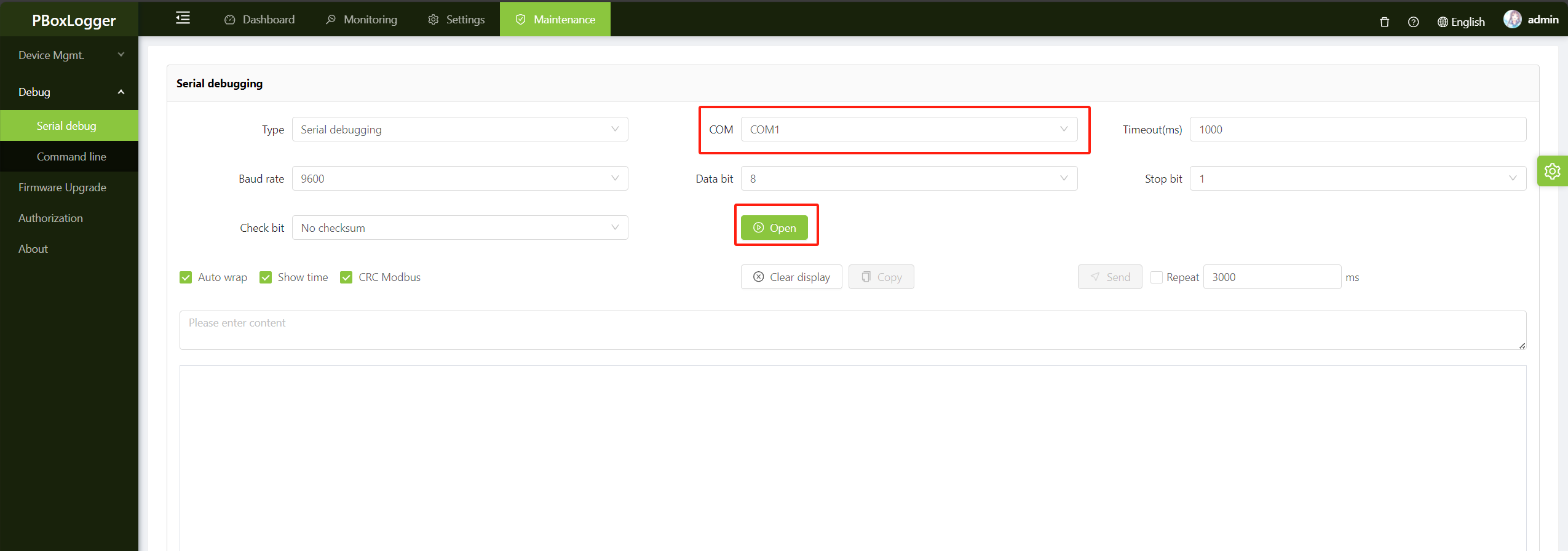
Look out
After the serial port is enabled, the service communication through the serial port is temporarily suspended. Ensure that services are not affected before performing this operation。
Manual organizing message
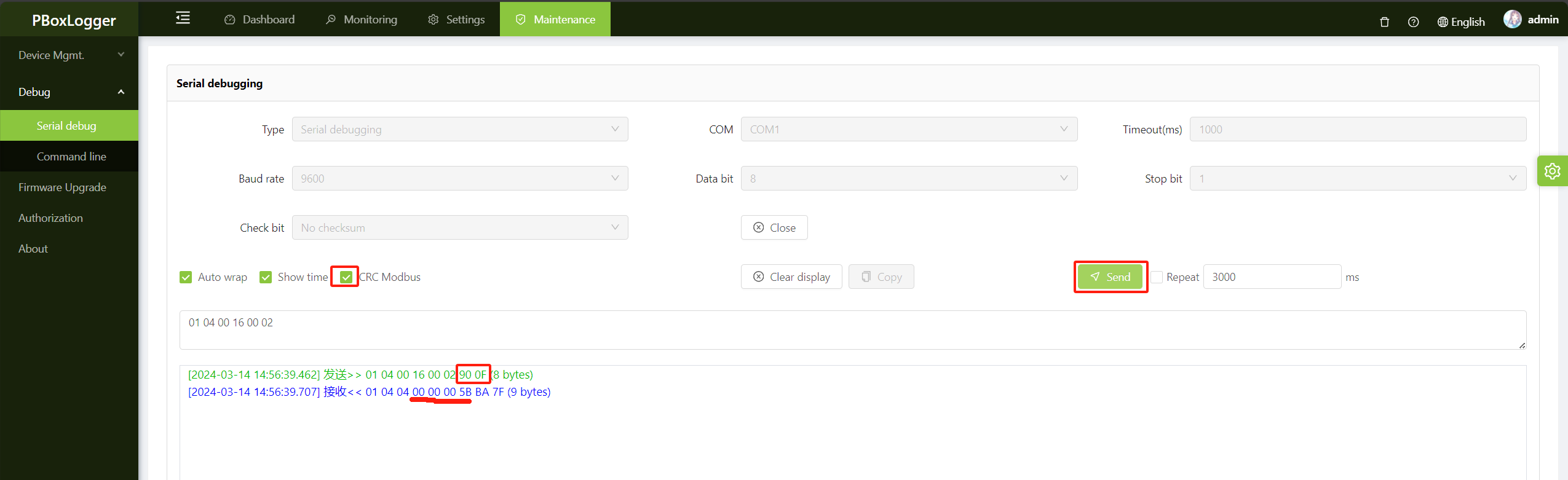
For example, if you want to read the total energy output of an inverter with RTU address 1, function code 0x04, register address 22 in decimal notation, and read two registers, the message to be sent should read as follows:
01 04 00 16 00 02
Because the CRC check is checked by default, CRC will be automatically included at the end of sending without manual calculation;
As shown below,greenindicates the packet sent by the gateway,Blueindicates the content received by the gateway,You can see that the register data of the total power generation is 00 00 00 5B ;
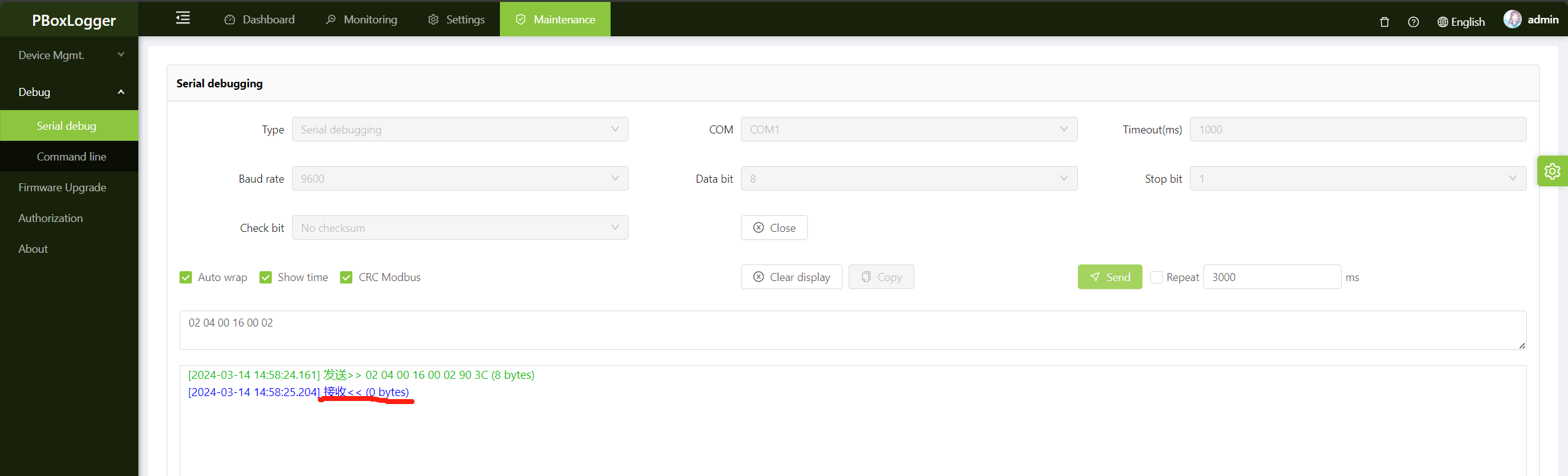
If there is no response, enlarge the timeout period and try again, or check whether the serial port parameters are correctly configured and the device address is correct。
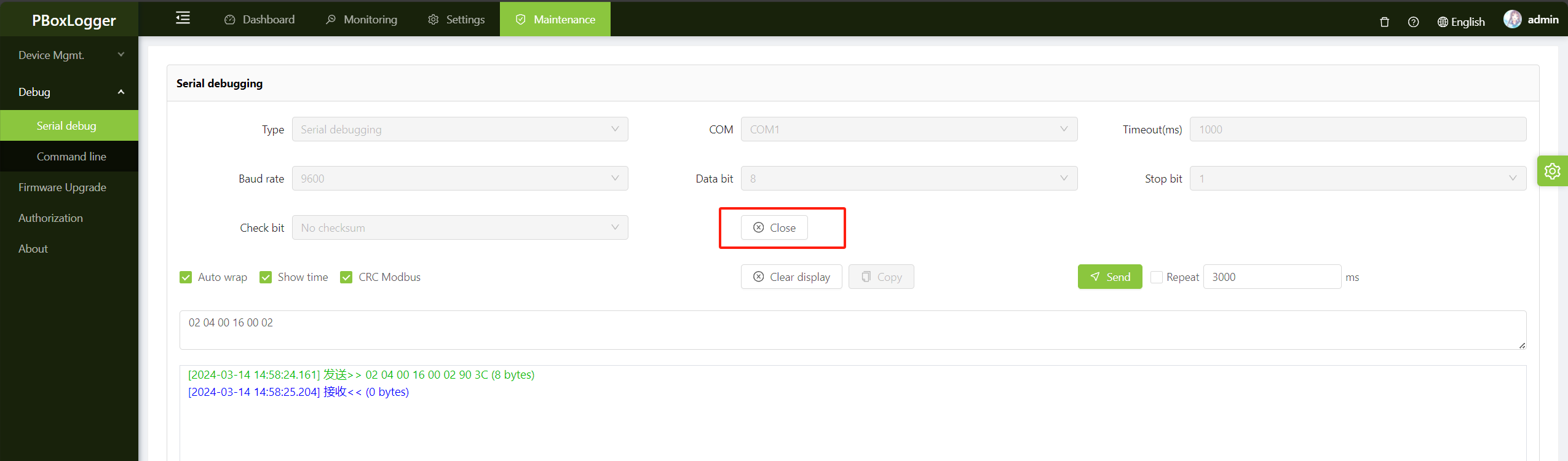
Close the serial port
After debugging is complete, turn off the serial port. Otherwise, services will be interrupted。