1.Network settings
IP configuration
On the top menu bar, click Settings -> Communication Parameters ->IP Configuration, you can configure the IP of the gateway。
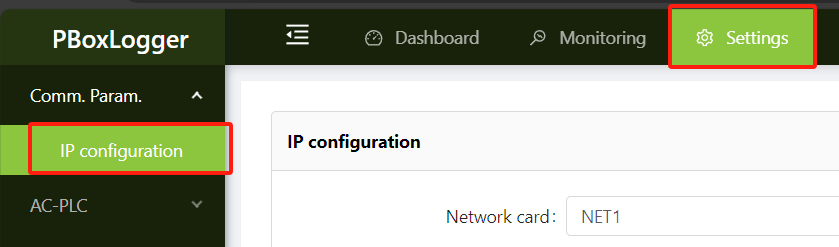
The upper part of the figure below is the configuration of the gateway IP address, subnet mask and other parameters, the lower part can configure the gateway route, after the addition is completed, you need to click Set button will be delivered to the gateway, the configuration takes effect immediately;
warn
Multi-network port device,The IP addresses of different network adapters cannot be in the same network segment,Otherwise, it will cause ** to be unable to connect to the Internet ** or ** network communication abnormal !
For example, if 192.168.1.100 is configured for NET1 and 192.168.1.200 is configured for NET2, this parameter is not allowed。
Note
If set as the default route is selected and the Internet of Things card is inserted, the Internet access priority of the gateway is Wired network > 4G dial;
Only one NIC can be modified at a time. After the modification is complete, click Settings to deliver the modification to the gateway. The modification takes effect immediately;
If you do not modify the Settings, the previous Settings will be lost when you switch the network adapter。
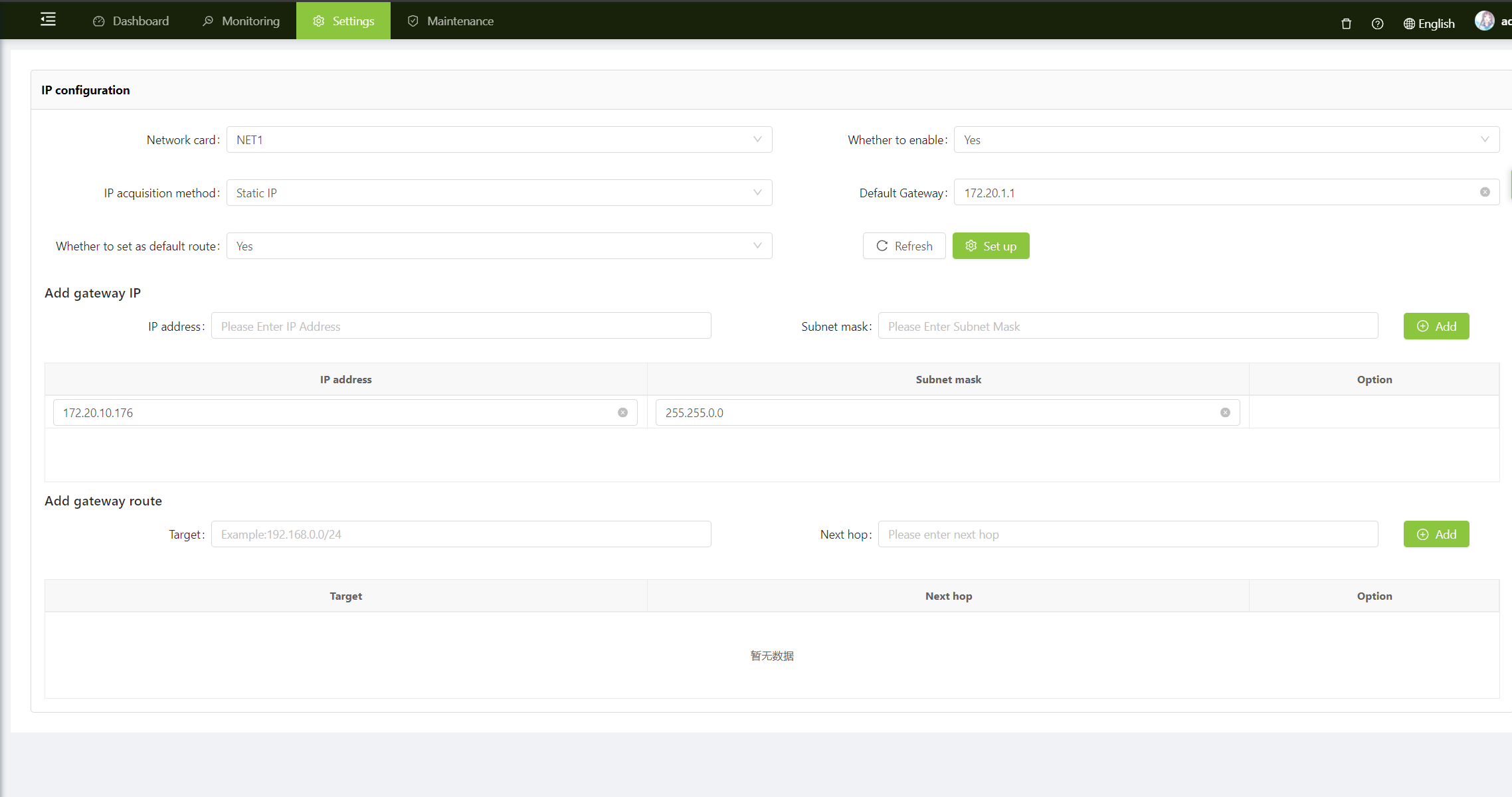
| Attribute | Instructions |
|---|---|
| Network card | NET1 indicates the first network card of the gateway, NET2 indicates the second network card, and so on |
| Whether to enablet | Enabled by default; If no is selected, this network port of the gateway will be used as a DHCP server to provide network to other devices |
| IP acquisition method | Select Static IP(Recommended),Then you need to manually configure the IP address;Select DHCP(Not recommend),Then the router (or other DHCP server) assigns the IP address |
| Default gateway | If the gateway accesses the Internet through this network card, you need to fill in Default gateway |
| Whether to set as the default route | If the gateway accesses the Internet via SIM card 4G, then select ** No ; If the gateway accesses the Internet through this network card, then select ** Yes . There can be only one default route. If multiple routes are set, the one with the smaller NET index takes effect first. If this parameter is modified, the gateway disconnects and reconnects for about 10 seconds |
| IP address | IP address of the NIC. A maximum of 10 different IP addresses can be added |
| Subnet mask | The subnet mask of the network adapter is automatically filled after the IP address is configured |
| gateway route | This parameter is reserved for compatibility with gateways of older software versions. You can leave this parameter blank. For details about how to add a route, see the following parameters |
| Target | Specifies the range of IP addresses that match the route, for example:192.168.100.0/24 |
| Next hop | The next point of the route, for example:192.168.0.1, indicates that the data in the network segment 192.168.100.xxx is transferred from 192.168.0.1 |