Export PDF
illustrate
-
To export the contents of a single-page document, please operate on a single page;
-
To export the contents of all documents, click here to access full webpage. Note that the webpage is very large. Please wait patiently for the loading to complete. It is recommended to access it through a computer under a wired network environment;
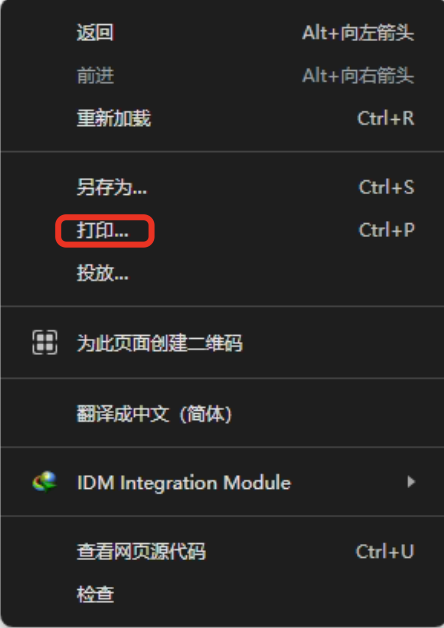
Google Chrome, Microsoft Edge
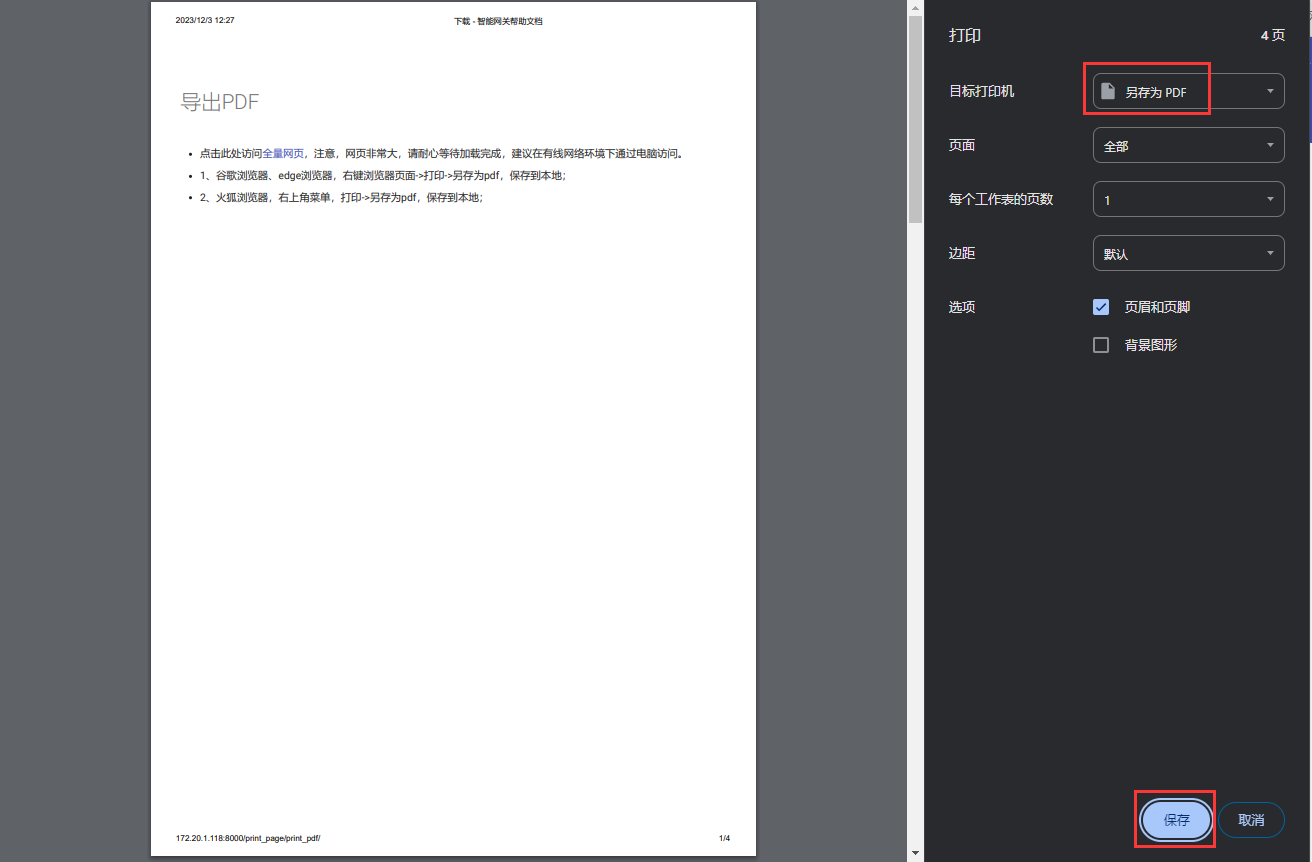
- Right-click the browser page->Print->Save as PDF to save locally.
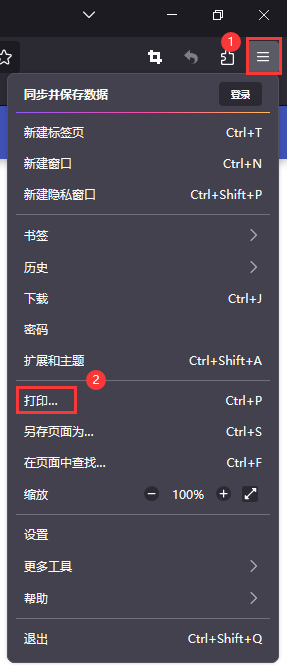
Firefox Firefox browser
- Menu in the upper right corner, Print->Save as PDF, save locally.