1.Unable to access the Logger
Problem description
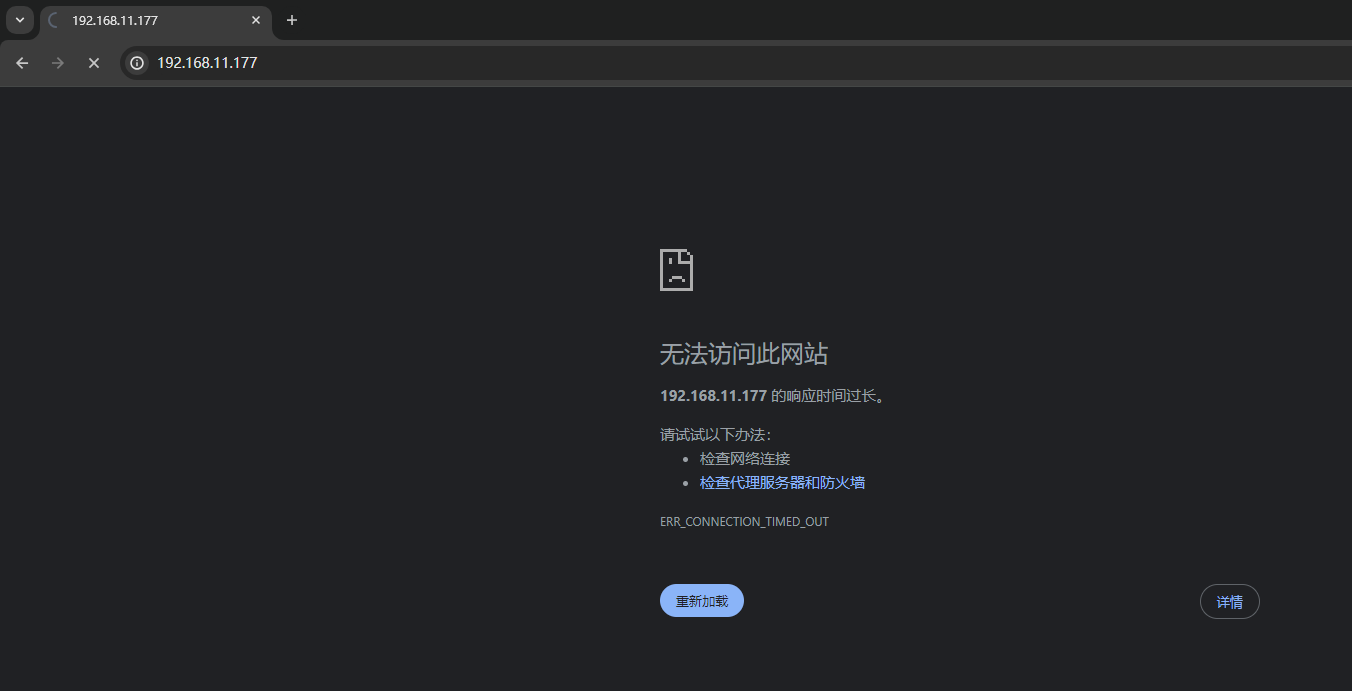
If the browser enters the gateway ip address, the pbox-logger web page cannot be opened。
Check and solve
1)Whether the gateway is powered on?
Please switch on the power supply of the gateway and check whether the PWR light is steady on, or the RUN light is blinking。
2)The network cable is correctly connected
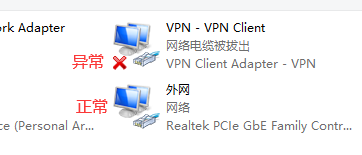
Please check whether the computer network card configuration has a Red Cross, you can also right-click the network card, first disable, and then enable target network card;
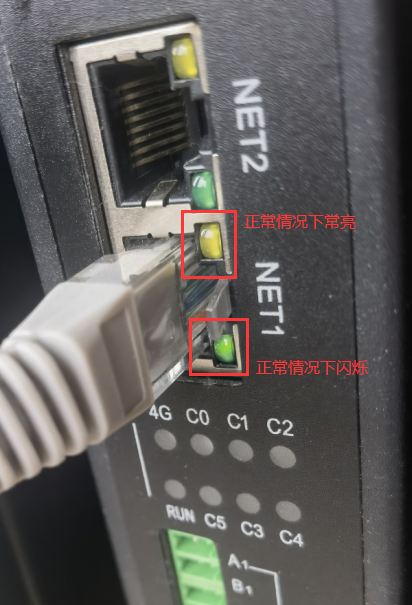
Check whether the two small indicators at the gateway network port are steady yellow and blinking green。
3)Whether they are on the same network?
Make sure the computer and the gateway are on the same network, connected to the same router or switch, or directly connected to the gateway and the computer through a network cable,
And the computer's network card is configured with the same network segment as the gateway (different network segments can also be searched, the same network segment is configured to facilitate troubleshooting) IP address, usually the default IP address of the gateway is 192.168.11.177,
If the configuration is correct, you can run the ping command to ping 192.168.11.177 from the PC。
tip
If the gateway has multiple nics, start with NET1(or eth0), 192.168.11.177, 192.168.12.177, 192.168.13.177......
If it is an x86 rack-mounted management machine (for example, 6220A), then starting from NET1(or eth0), 192.168.0.177, 192.168.1.177, 192.168.2.177...
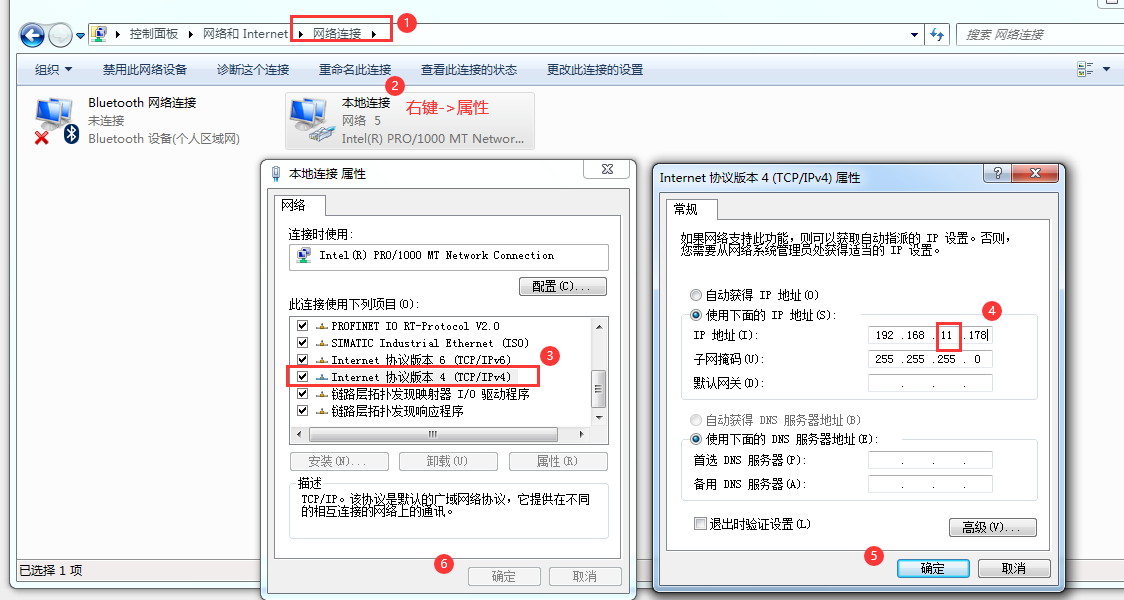
4)Use reserved IP
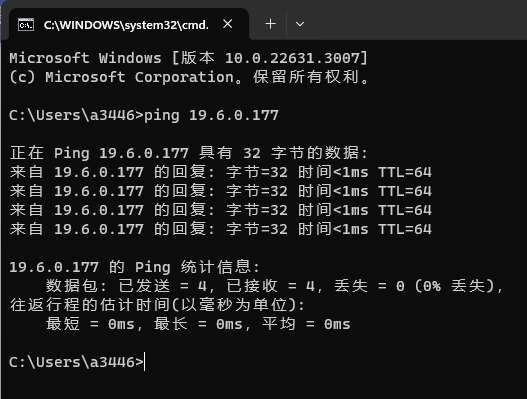
For all gateways, each NIC reserves an IP address by default. The reserved IP address for NIC 1 is 19.6.0.177/24, the reserved IP address for NIC 2 is 19.6.1.177/24, and so on;
If the computer is connected to the NET1 network port of the gateway, set the IP address of the computer to 19.6.0.178/24(or another IP address in the same network segment), then log in to the cmd terminal ping19.6.0.177, ping the CLI successfully, and then access the computer through your browser https://19.6.0.177/。