2.Project wizard
New roject wizard
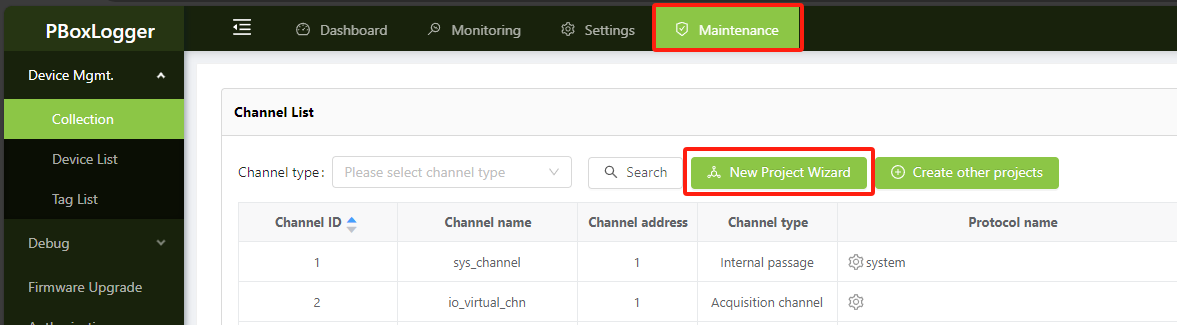
On the top menu bar, click Maintenance -> Channel Management -> New Project Wizard, and the New project Wizard will pop up. There are two steps in total。
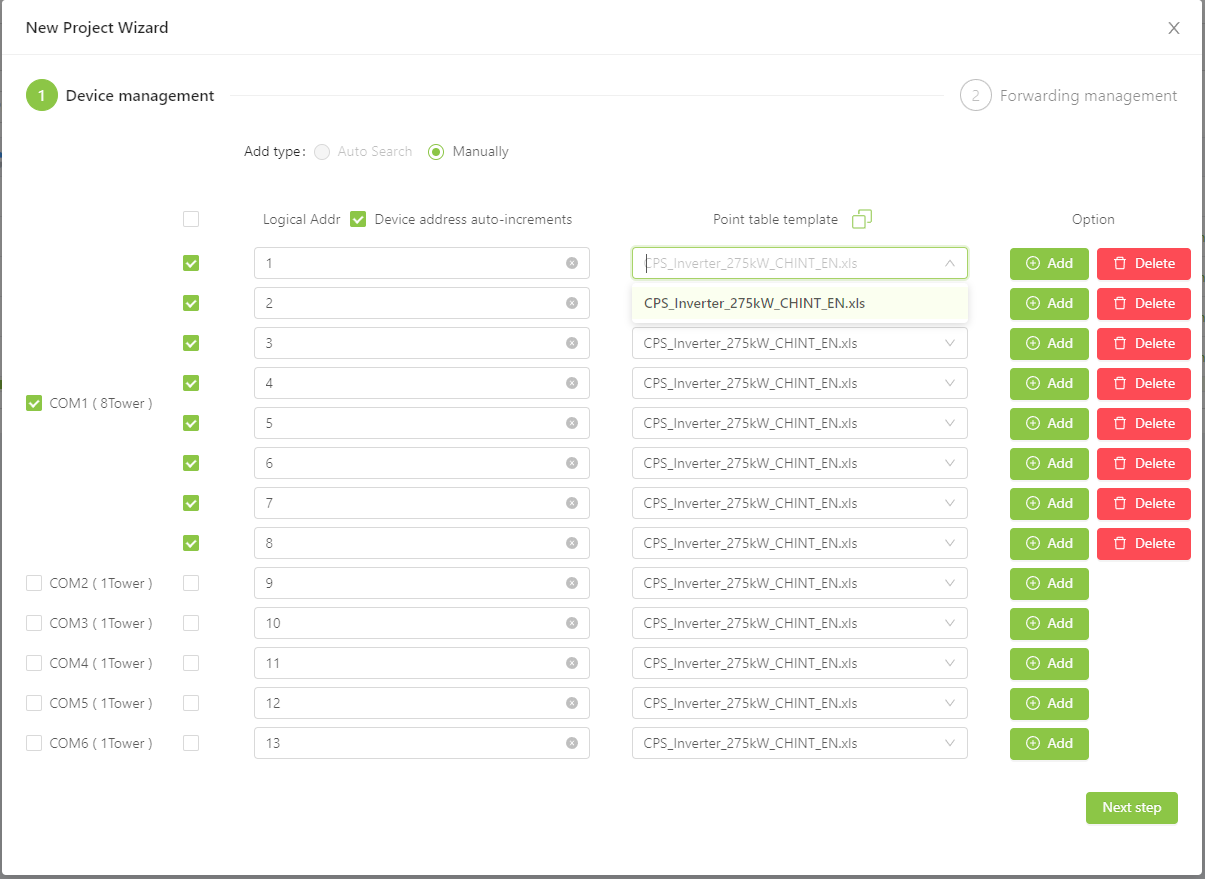
Add device
Based on the actual RS485 connection, select the corresponding point table template under different COM ports, and then add the next step;
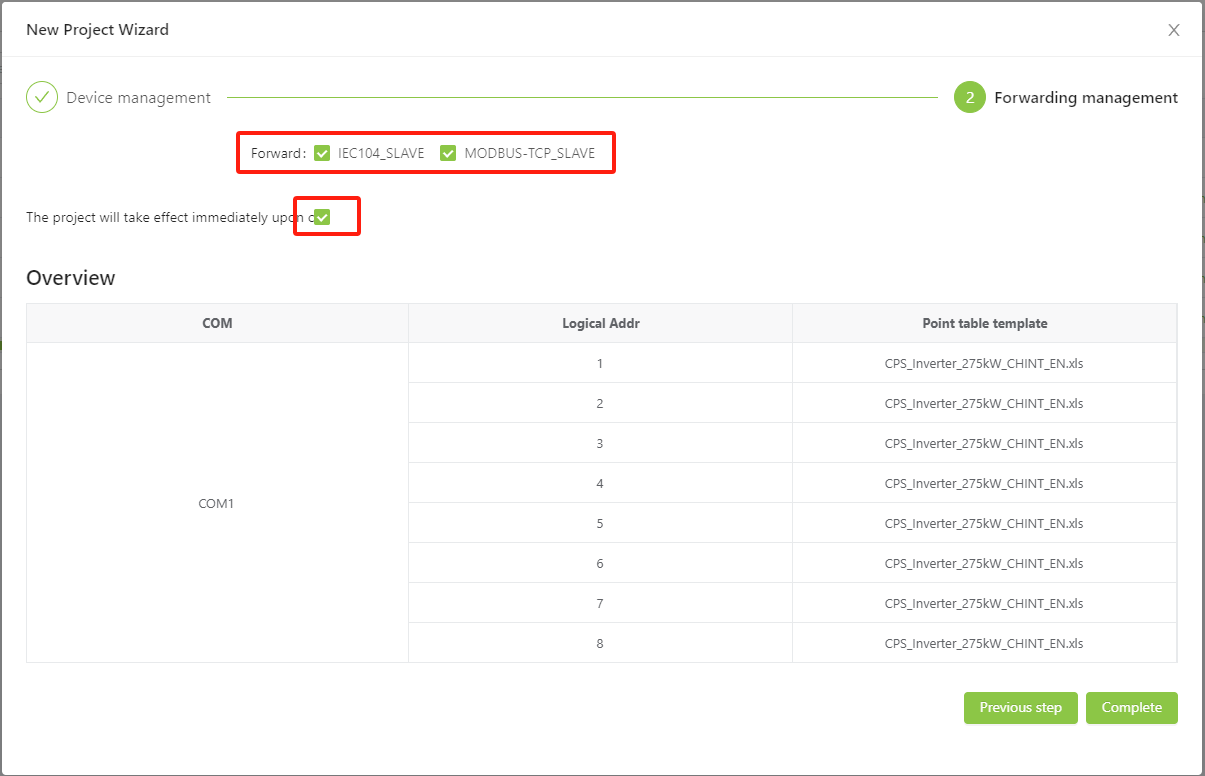
Forwarding management
Select the protocol to be forwarded. Currently, only IEC104 forwarding and MODBUS-TCP forwarding are supported.
The project takes effect immediately after completion. By default, if you remove the check box, you need to manually restart application;
Finally click Finish, please later the gateway will automatically create the project according to the wizard, depending on the number of inverters required time。
Configuration fine-tuning
Currently, you can modify only the protocol feature configuration, some parameters of the channel, and some parameters of the device。
Protocol feature configuration : Add IV Scan
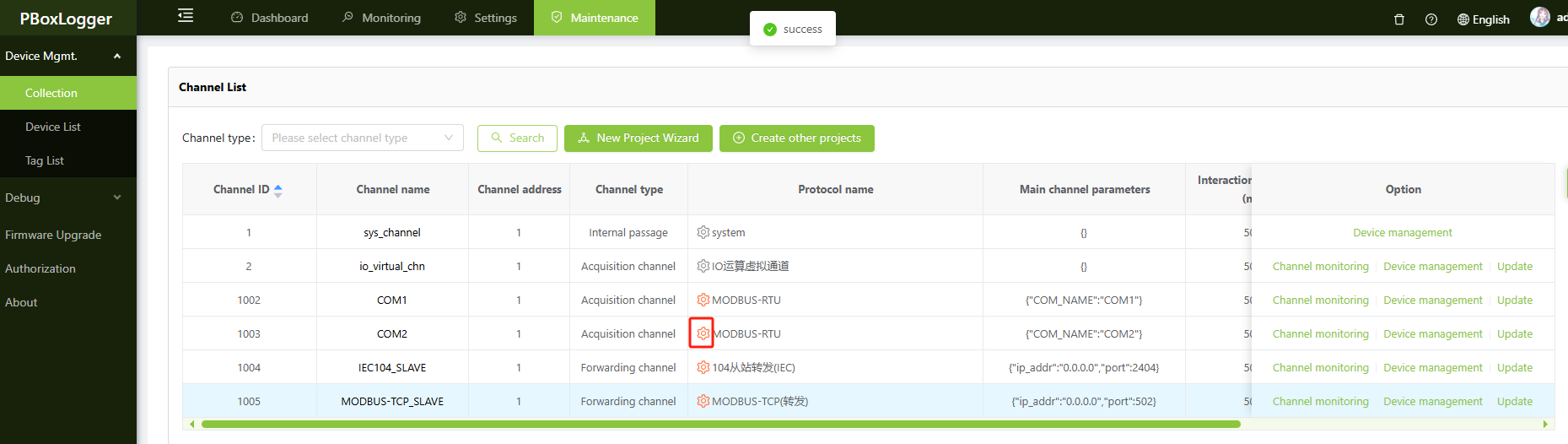
Open the Protocol Settings of the MODBUS-RTU acquisition channel you want to configure for IV scanning, scroll down to find the CHINT IV Curve Listening (UDP) Port option, and configure the corresponding port.